February Product Updates: Less Paperwork, More Progress
Fy Knight
March 2, 2026
Product
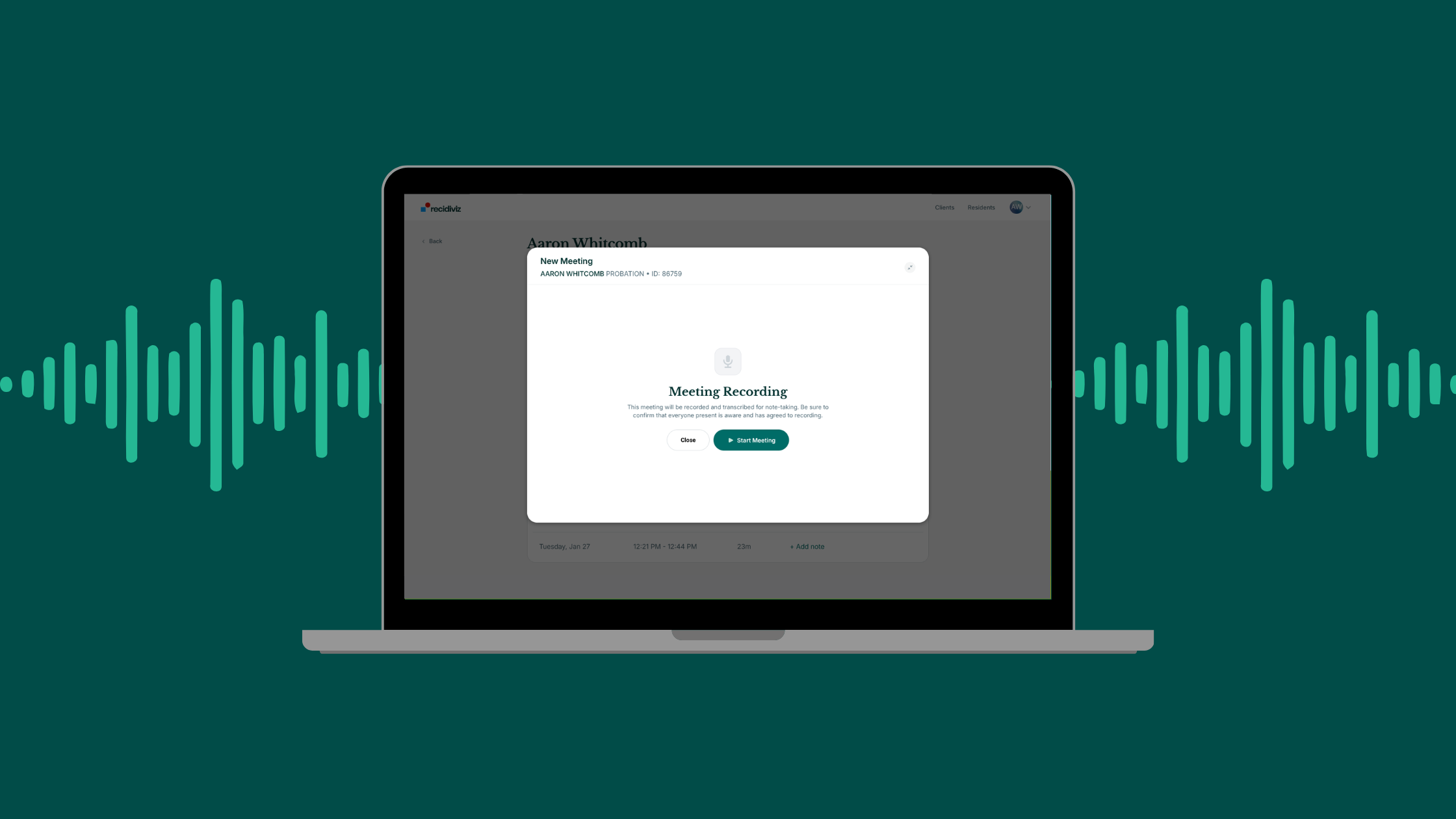
This month’s updates to the Recidiviz Corrections Platform, driven by insights and feedback from our partner agencies. Feature suggestions? Email feedback@recidiviz.org
Better Meetings with Meeting Mode
- Automated Meeting Documentation: A new tool for supervision and facilities staff that records officer-client meetings and automatically generates structured outputs—draft case notes organized by topic (e.g., employment, housing, family), action items assigned to both the officer and the client with deadlines, status updates across key life domains, and full meeting minutes. Officers can focus on the conversation, not their notes.
- In-Meeting Notepad: During a recording, staff can jot down quick notes in a built-in notepad without leaving the tool—so nothing gets lost in the moment.
- Flexible Deployment: Meeting Mode works across supervision and facilities settings, and is accessible from any web browser—no special hardware or software required. Staff can print or export outputs for easy filing.
Improved Audio & Transcript Tools for Case Planning
- Interactive Audio Player: A redesigned waveform-based audio player lets staff click on any point in the waveform to jump to the matching turn in the transcript—and vice versa. This makes it significantly faster to review recorded interviews and verify AI-generated summaries.
- Playback Speed & Download: Staff can now play recordings at 1x, 1.5x, or 2x speed, and download audio files in MP3 format for offline review or record-keeping.
- Speaker Assignment: For recorded interviews, transcripts now display all detected speakers with the ability to manually label who is who (e.g., "Client" and "Case Manager"), giving staff control over transcript accuracy.
- Search by ID: Staff can search for clients by DOC ID in addition to name, making it faster to pull up the right record—especially in states where staff are more familiar with ID numbers.
- Staff Review Tools: Case managers can assign assessments to individuals on their caseload, track completion, and review results, ensuring the full picture is available when it's time to build a case plan
Calculating Accurate Release Dates
- Automated Time Comp: A new calculator encodes state sentencing statutes–including good time credits, violent offense floors, parole eligibility tiers, and prior custody credits–to automatically generate projected maximum and probable release dates and parole eligibility dates. This gives time comp staff a high-speed starting block to spend less time on manual math and more time on verification.
- Full Transparency: Every calculation is fully visible and traceable back to the underlying statute, so staff can audit the logic and build confidence in the outputs. The tool handles flexible unit aggregation (years, months, days) and accounts for standard vs. work/education good time rates.
- Redesigned Sentence Timeline: An updated sentence timeline gives staff a clearer, more interactive view of key milestone dates—from parole eligibility to max release—with improved styling and the ability to drill into individual dates for more detail.
New Features for Residents
- Risk-Needs Assessments: Residents can now complete risk-needs assessments directly on their tablet, at their own pace and in their own words—freeing up staff time while giving individuals more agency in the case planning process.
- Browse Available Programs: Residents can explore a comprehensive, facility-specific catalog of available programs—from educational courses to vocational training—directly on their tablet. Each listing includes a description, eligibility requirements, and how much earned time the program offers.
- Save Programs of Interest: Residents can bookmark programs they're interested in, making it easier to plan their path and have informed conversations with their case manager.


